UptimeRobot vs Uptime Kuma (2026): Which One to Pick, With Real Limits and Prices
Comparison · · 5 min read
Pick UptimeRobot if you want external checks running in two minutes and 50 monitors every 5 minutes is enough. Pick Uptime Kuma if you have a spare server and want 20-second checks, heartbeats and unlimited monitors for free, in exchange for maintaining it yourself. If you also need to watch the VPS behind those URLs (metrics, security, backups), that's the gap SecuryBlack fills.
Limits and prices below were checked against each project's official pages, as of November 2026.
Comparison table
| UptimeRobot | Uptime Kuma | SecuryBlack | |
|---|---|---|---|
| Type | Hosted SaaS | Self-hosted, open source | Hosted panel for your own VPS |
| Price | Free: 50 monitors. Solo from €9/month billed yearly | Free, plus the server you run it on | Free during the beta |
| Fastest check | 5 min (Free), 60 s (Solo), 30 s (Team) | 20 s | 15 min (Hobby) / 1 min (Pro) |
| Heartbeats (cron/backup) | Paid plans only | ✓ (Push monitors) | ✓ |
| Status pages | 1 free, on an UptimeRobot URL | Several, with custom domains | Free during the beta, at status.securyblack.com or on your own domain |
| Alerts | Free: email, Discord, Google Chat, Pushover, Pushbullet, Splunk. Slack and Telegram from Solo | 90+ services | Email, Telegram, Slack, Discord, Webhook |
| Monitor types | Free: HTTP, keyword, ping, port | HTTP, keyword, TCP, ping, DNS, Docker, databases and more | HTTP, TCP, heartbeats |
| Runs on your server | Nothing | Kuma itself (Node.js + database) | Optional OxiPulse agent (11.4 MB RSS) |
| Server metrics and security audit | ✗ | ✗ | ✓ |
| Breach monitoring | ✗ | ✗ | ✓ |
| Open source | ✗ | ✓ | Agent only (OxiPulse) |
| You maintain it | No | Yes | No |
UptimeRobot
The hosted default. You sign up, paste a URL and checks start from their servers. Nothing runs on your machine.
The free plan, as of November 2026: 50 monitors (HTTP, keyword, ping, port) at 5-minute intervals, one status page on an UptimeRobot URL and 3 months of data. Alerts go to email plus five integrations: Discord, Google Chat, Pushover, Pushbullet and Splunk.
What the free plan leaves out is what most developers end up wanting: heartbeat monitors for cron jobs, Slack and Telegram alerts, and checks faster than 5 minutes. All of that starts at Solo: €10/month, or €9/month billed yearly, for 10 monitors at 60-second checks. Team is €41/month (€35 billed yearly) for 100 monitors, 30-second checks, webhooks, Zapier and PagerDuty. These are the EUR prices on their pricing page as of November 2026, and they vary by region.
One correction to older comparisons: many articles say the free plan is for non-commercial use only. UptimeRobot's current terms (last updated May 2026) say the service can be used for anything, including commercial and business use, and the pricing page pitches Free for personal and commercial projects.
Strengths:
- Zero setup, and checks come from outside your network
- 50 free monitors is plenty for a handful of sites
- Status pages and incident tooling improve as you move up the plans
Limitations:
- No heartbeats, Slack or Telegram on the free plan
- With 5-minute checks, an outage can run for minutes before you hear about it
- Paid plans are priced by monitor count, so cost grows with your endpoints
Uptime Kuma
Open source and self-hosted. You run it with Docker or Node.js (20.4 or newer) on a VPS or a homelab box. Version 2 has been stable since October 2025, and the current release is 2.5.8 (26 October 2026). v2 lets you store data in SQLite or MariaDB and adds rootless Docker images.
For free you get unlimited monitors, 20-second intervals, 90+ notification services, multiple status pages with custom domains, and more monitor types than any free SaaS plan: HTTP(s), keyword, JSON query, TCP, ping, DNS, Docker containers, databases (MySQL, PostgreSQL, MongoDB, Redis, SQL Server), MQTT and gRPC. Push monitors are heartbeats: your cron job calls a URL, and Kuma alerts you if the call doesn't arrive.
The price is maintenance. You update it, and that matters: 2.5.8 shipped a security fix. You back it up: v2 removed the old JSON backup and restore, so copying the data directory is the supported way. And you host it somewhere other than the server it watches, or it goes down with the machine it's supposed to warn you about.
On resources, the project publishes no RAM figure. It's a Node.js process plus a database, and usage grows with monitor count and history. If it shares a 1 GB VPS with your apps, check docker stats before you trust it.
Strengths:
- Free, no monitor limits, 20-second checks
- Heartbeats (Push monitors) and 90+ alert channels included
- Your monitoring data stays on your infrastructure
Limitations:
- You patch it, back it up and keep it running
- Needs a separate machine to be useful during an outage
- Watches endpoints, not what happens inside the server (CPU, disk, security)
SecuryBlack
SecuryBlack isn't a pure uptime tool. It's a hosted panel for monitoring and managing your own VPS, and uptime is one part of it:
- Uptime monitors (HTTP/TCP) and heartbeats for cron jobs and backups. Nothing to install for these.
- Public status pages with the monitors and heartbeats you pick, at
status.securyblack.com/your-pageor on your own domain, HTTPS certificate included. - Server metrics through OxiPulse, an open-source agent written in Rust (11.4 MB RSS, measured).
- Security audit that gives you the exact command for each fix. You decide what to run.
- Encrypted backups with alerts, and breach monitoring for your email addresses.
- Deploys from GitHub to your own VPS (beta).
It's free during the beta. The panel and docs are in English and Spanish.
Limitations:
- Fewer alert channels than Kuma: email, Telegram, Slack, Discord and webhook
- 15-minute minimum interval on the Hobby plan
- No Zapier or PagerDuty integrations
- Younger product, and only the agent is open source, not the panel
- If all you need is to ping three URLs, it's more than you need
What runs on your server
On a 1 or 2 GB VPS, the monitoring tool's own footprint matters.
- UptimeRobot: nothing. Checks come from their servers.
- Uptime Kuma: the whole app and its database, unless you host it elsewhere (which you should).
- SecuryBlack: nothing for uptime checks. The optional OxiPulse agent for metrics measured 11.4 MB RSS. That counts if you're already fitting a PaaS like Coolify or Dokploy on a small server.
Heartbeats decide it for a lot of people
A heartbeat tells you a cron job or a backup actually ran. Your script calls a URL when it finishes (curl -fsS <your-heartbeat-url>), and you get an alert if the call doesn't arrive on time.
UptimeRobot only has them on paid plans. Uptime Kuma (Push monitors) and SecuryBlack include them at no cost. Keep in mind that a heartbeat proves the job finished, not that the backup restores.
When to choose each
Choose UptimeRobot if:
- You want external checks running in minutes and won't host anything
- 50 monitors at 5-minute checks covers you, and email or Discord alerts are enough
- You need PagerDuty or Zapier and will pay for Team
Choose Uptime Kuma if:
- You already run a server or homelab and keeping a container updated doesn't bother you
- You want 20-second checks, heartbeats and unlimited monitors without paying
- You need monitor types free SaaS plans don't cover: databases, Docker containers, DNS, MQTT
- Your monitoring data has to stay on your machines
Choose SecuryBlack if:
- You run your own VPS and want uptime, heartbeats, metrics, security audit and backup alerts in one panel instead of three tools
- You don't want to host or patch your monitoring
- You want a free public status page built from your monitors and heartbeats
- You want an alert when one of your email addresses shows up in a breach
Skip SecuryBlack if you only need to watch a few public URLs (UptimeRobot's free plan does that), you need sub-minute checks or a niche alert channel (Uptime Kuma), or your on-call runs through PagerDuty (UptimeRobot Team).
See the panel before you connect a server
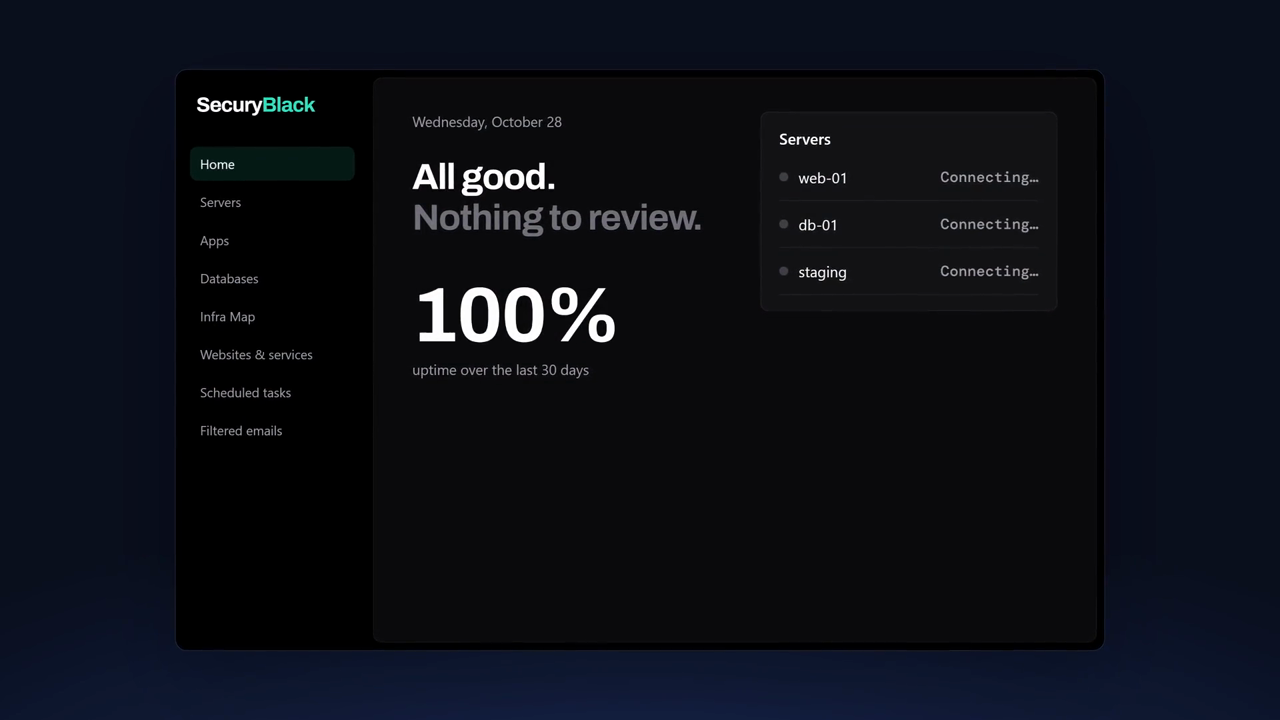
Watch the product demo to see how server metrics, security findings and alerts fit together. If it's what you need, create a free beta account and follow the installation documentation to connect your first server.
Already running Uptime Kuma? Keep it. SecuryBlack works in parallel: Kuma watches your endpoints, SecuryBlack watches the server and its security.